
The Best Way to Clean You Earphones & Headphones
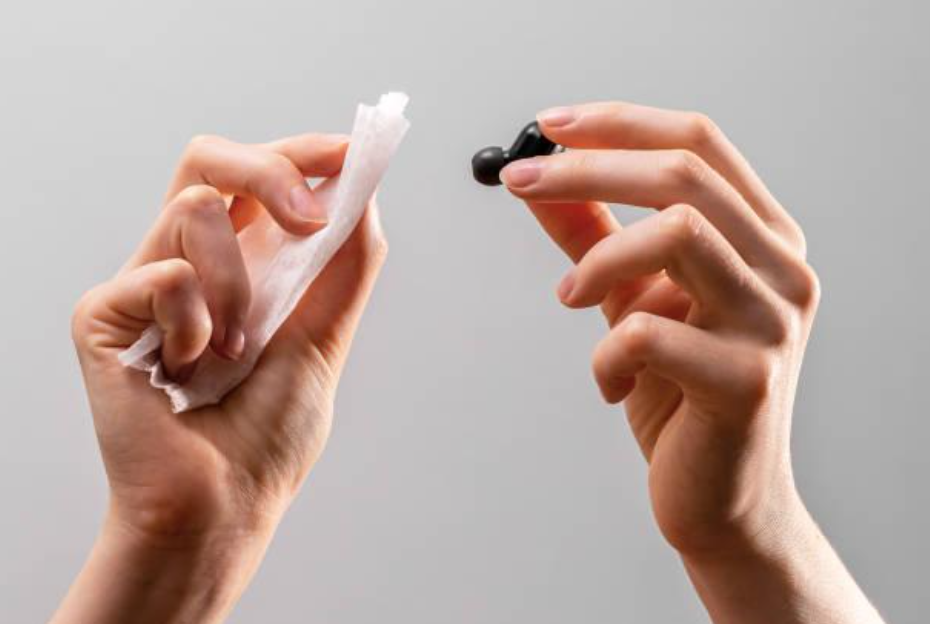
If you’re the proud owner of a nice pair of headphones, we have something to tell you; statistically, you’re probably not cleaning them enough. Regular headphone maintenance is a very important practice for those who wish to maintain the hygiene, audio quality and longevity of their headphones, but it’s something most headphone owners rarely think to do.
Over time, dirt, sweat, and earwax can accumulate, blocking sound output, reducing audio clarity, and causing discomfort during use. This buildup can also lead to wear on internal components, affecting performance and potentially shortening the device’s lifespan. Keeping your audio gear clean not only improves your listening experience but also protects your investment. With that in mind, scroll down to learn the best practices to employ when cleaning your headphones…
Here’s What You Need To Clean Your Headphones…
An effective headphone clean should help you remove dirt, sweat, and buildup without damaging the headphones' delicate components. So in order to give your headphones a thorough scrub, here are the basic supplies that you’ll need… most of which you may already have lying around your home or office.
-
A solution of mild dish soap diluted in warm water; this is ideal for gently cleaning surfaces without leaving residue.
-
Rubbing alcohol (isopropyl alcohol); this will be useful for disinfecting and removing tougher grime or oily spots.
-
A soft microfiber cloth or disposable paper towels; this is essential for wiping down surfaces without scratching or leaving lint behind.
-
A soft-bristled toothbrush or a dedicated electronics cleaning brush; this is needed to get into seams, crevices, and around buttons or grills.
-
Tweezers (optional); helpful for carefully removing stubborn debris, lint, or hair trapped in small openings.
-
Using these tools correctly can help maintain both the cleanliness and performance of your headphones over time.
How to Clean Your Headphones: A Step-By-Step Guide
-
Unplug/Turn Off Your Headphones: Safety first! Before starting any cleaning process, always turn off and unplug your headphones. Even minimal moisture can pose a risk when combined with electricity, so this simple step helps prevent short circuits or accidental damage. Make it a habit to disconnect your device before every cleaning session.
-
Prepare a Gentle Cleaning Solution: Next, create a mild but effective cleaning solution by mixing warm water with a small amount of dish soap. A typical ratio is about 1 cup of water to ¼ teaspoon of mild liquid soap. Don’t worry if the proportions aren’t exact; just a few drops of soap are usually enough. You won’t need more than one cup of water to clean a single pair of headphones.
-
Clean the Non-Fabric Surfaces: Start with the hard, external surfaces such as plastic, metal, or rubber parts. Use a clean, dry microfiber cloth to gently wipe away dust and debris. For more stubborn spots or smudges, lightly dampen the cloth with your soap solution, rather than soaking it. The cloth should be just moist enough to clean without dripping. Avoid getting moisture into any openings, speaker grills, or charging ports. If small debris like lint or crumbs are lodged in a crevice or port, use a soft-bristled brush or tweezers to gently remove it, being careful not to push it further in.
-
Remove and Clean the Ear Cushions: Carefully detach the ear cushions to clean them separately. This allows for a more thorough clean and prevents moisture from reaching the internal speakers. Use the same mild soap solution and apply it with a soft cloth, being extra gentle since the cushions may be made from memory foam or synthetic leather, which are more delicate than the outer casing. Wipe gently to avoid damaging the material.
-
Let Everything Dry Before Reassembly: Allow the ear cushions and any other cleaned parts to air dry completely before putting them back on the headphones. To speed up drying, you can gently pat them with a clean towel, but avoid using heat or direct sunlight. Once all parts are completely dry, reassemble your headphones, and they’ll be clean, refreshed, and ready to use!
Are Over Ear Headphones Harder to Clean?
Cleaning over-ear headphones may seem more involved than cleaning earbuds, but with a few straightforward steps, it’s both manageable and effective. Begin by removing the ear cushions and wiping them down separately using a soft, damp cloth. Then, take a soft-bristled brush to gently clear away any dirt or debris from the headphone’s surface, taking care not to scratch or damage the materials. For a final touch, use a microfiber cloth lightly misted with hand sanitizer to disinfect the outer surfaces. Allow all components to dry completely before reassembling. While wireless earbuds might be smaller and simpler to maintain, a consistent cleaning routine and the right approach make it just as easy to keep your over-ear headphones clean, comfortable, and performing at their best.
How to Avoid Damaging Your Headphones While Cleaning Them
While it’s great to keep your headphones clean, it’s just as important to clean them safely without damaging the tech. Here are a few things to avoid at all costs when cleaning your headphones:
-
Harsh Chemicals & Alcohol-Based Solvents: While it may seem like a strong cleaner will do a better job, these substances can actually strip or damage the outer finish, especially on plastic, leather, or foam materials. Stick to mild soap and water or approved cleaning agents recommended by the manufacturer.
-
Excessive Moisture: Submerging your headphones or using too much liquid can easily lead to damage. Water and electronics don’t mix, and even a small amount of moisture inside the ear cups or near the ports can affect sound quality, cause internal corrosion, or result in permanent malfunction. Always use a damp (not wet) cloth and keep water away from any openings.
-
Vacuuming Near Microphones or Speaker Grilles: If your headphones have built-in microphones, avoid using compressed air or vacuuming the area. Strong air pressure can dislodge delicate components or damage internal wiring. Instead, gently brush or wipe these areas with a soft tool designed for electronics.
By following proper care techniques and avoiding these common mistakes, you'll extend the lifespan of your headphones and preserve their comfort and performance.
How Often Should You Clean Your Headphones/Earphones?
Regular cleaning not only keeps your headphones looking and smelling fresh but also helps preserve their sound quality and overall longevity. The rate at which you clean your headphones/headset should be informed by how often you’re using them as well as the kinds of environments you’re using them in. For instance, if you wear your headphones every day - especially during workouts, commutes, or in warm or dusty conditions - it’s advised that you wipe them down lightly after each use to remove sweat, skin oils, and debris. In addition, a more thorough cleaning once a week is recommended to maintain hygiene and performance. For those who use their headphones less frequently, and/or only in clean, controlled environments; a deep clean once a month is usually more than sufficient.
When to Stop Cleaning the Headphones and Start Replacing Them
There are times when cleaning is no longer enough, and replacing your headphones becomes necessary. If the speaker mesh is clogged beyond repair, preventing sound from passing through clearly, or if the ear cushions are cracked, peeling, or no longer provide a proper seal, it can compromise both comfort and audio quality. Additionally, persistent audio distortion, even after thorough cleaning and inspection, may indicate internal damage to drivers or wiring. These are all pretty clear signs that it's time to upgrade, as worn or damaged components can’t be restored by cleaning alone and may negatively impact your listening experience.
Conclusion
Regular headphone cleaning maintains hygiene, improves audio clarity, and extends device longevity. Hopefully this practice gives your headphones many more wonderful years; but, if and when it is finally time to upgrade, Minidisc’s wide and affordable range of headphones will have you sorted. You can head over to our homepage to explore our many other products, or get in touch with us directly here.